Simple and minimal video player for PC
YAFFplayer is a free video software for PC created by the developer, Geeks3D. Its name stands for Yet Another FFmpeg Video Player, and it is an open-source video player that was made with the GeeXLab programming tool and uses FFmpeg libraries, which help it recognize a wide range of file formats.
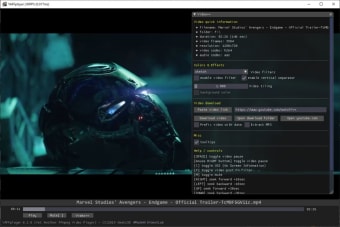
YAFFplayer joins crowd favorites, VLC and Media Player Classic, and serves as another alternative in the open-source media player space. Aside from having cross-platform compatibility, it also offers various filters, hardware acceleration, and even lets users download videos from various popular sources and platforms all over the web.
What is YAFFplayer?
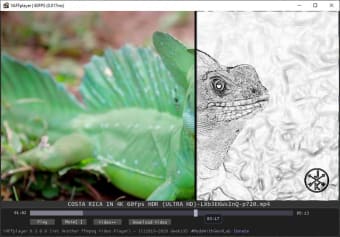
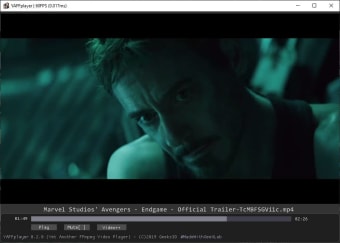
The main focus of YAFFplayer is simplicity and out-of-the-box usability. It's one of those programs that does not require much setup, if any at all, and you can open and use it right away since it's portable. To play a file, simply drag-and-drop it into the player to start watching. Alternatively, you can add a right-click context menu option to make it easier to play videos.
For playback controls, press K or Spacebar for play/pause, and your arrow keys to fast-forward or rewind. There's a neat timeline seek function at 10% increments using the 0-9 keys, as well. YAFFplayer can also be a video downloader. By clicking the Download Video button, it will start downloading from the URL in your clipboard or through the Video++ button, where you can manually add a source link.
If you want to try YAFFplayer out, just keep a few things in mind first. First, it is unable to play videos that use AC3 audio, presumably due to strict licensing concerns with Dolby Digital. Second, there are no built-in volume controls. Lastly, common features like subtitles, full-screen playback, and others are one too many omissions, resulting in a very limiting experience.
Crippled usability for the sake of simplicity
Overall, YAFFplayer is not an easy video player to recommended, even to those who prefer simplicity and minimalism. There are just way too many missing features to make it a compelling option to consider. Unless your machine is underpowered, there are far better players out there that are worth your attention.

.png)